

On this page
Your queue
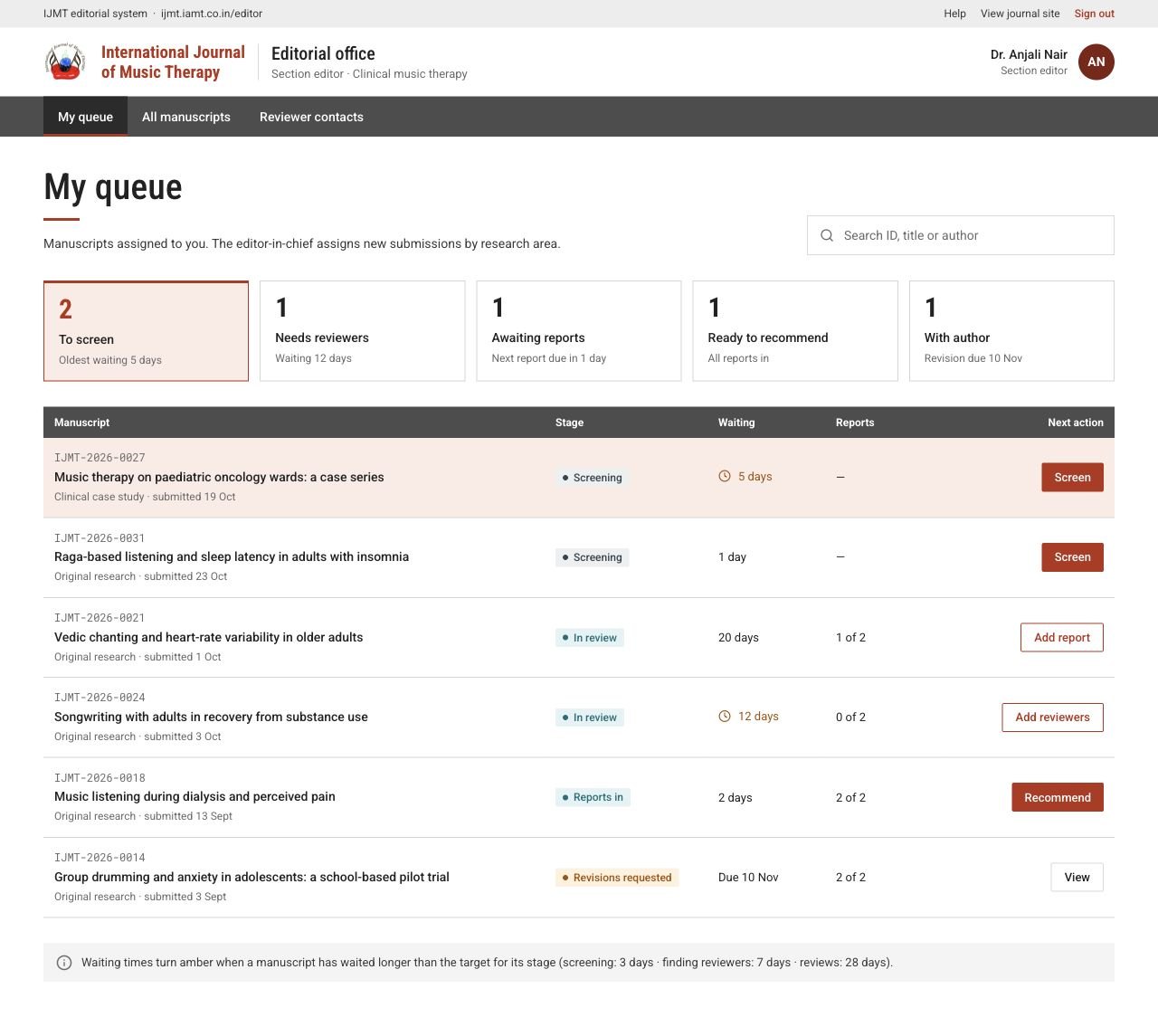
My queue lists the papers assigned to you, grouped by what to do next: screen, find reviewers, await reports, recommend, or wait for the author’s revision. Waiting times turn amber when they pass the journal’s targets. Use search or All manuscripts to find any paper you handle.
ijmt.iamt.co.in/editor
 View full page
Screen a manuscript
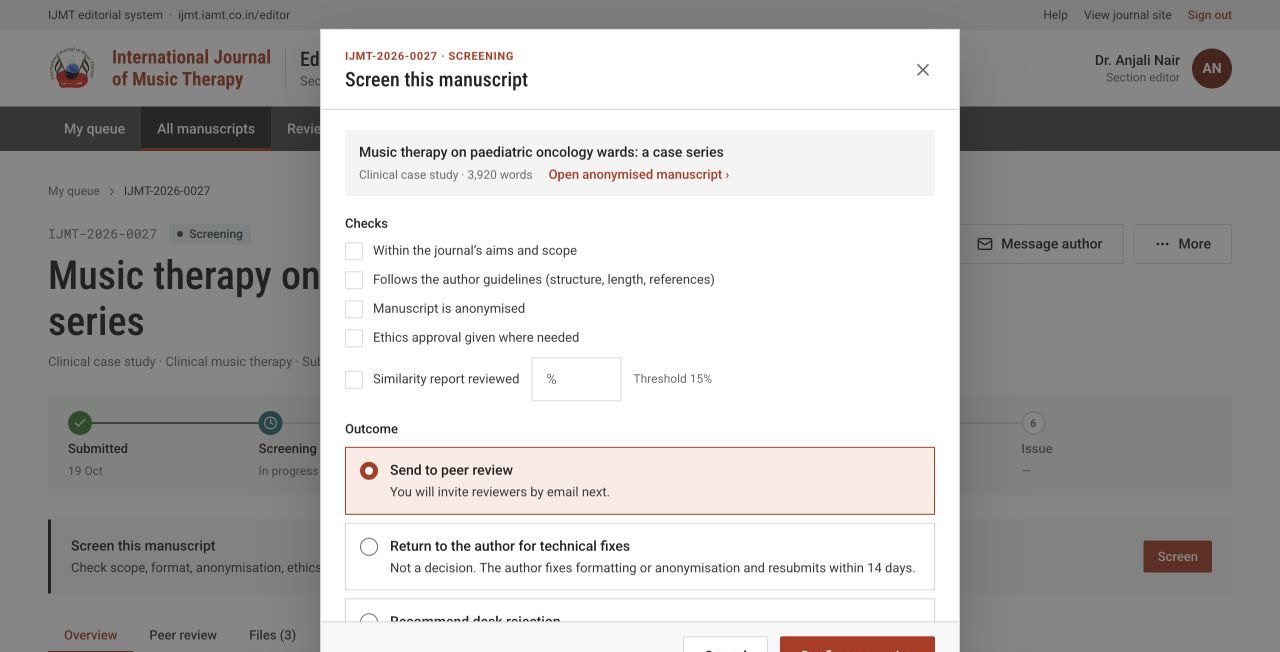
- 1Choose Screen and read the anonymised manuscript.
- 2Check scope, format against the author guidelines, anonymisation, ethics, and the similarity report. Enter the similarity percentage from your plagiarism check.
- 3Choose an outcome: Send to peer review, Return to the author for technical fixes, or Recommend desk rejection.
- 4Add the note the outcome asks for and choose Confirm screening.
ijmt.iamt.co.in/editor/manuscripts/…
 Enlarge
Invite and track reviewers
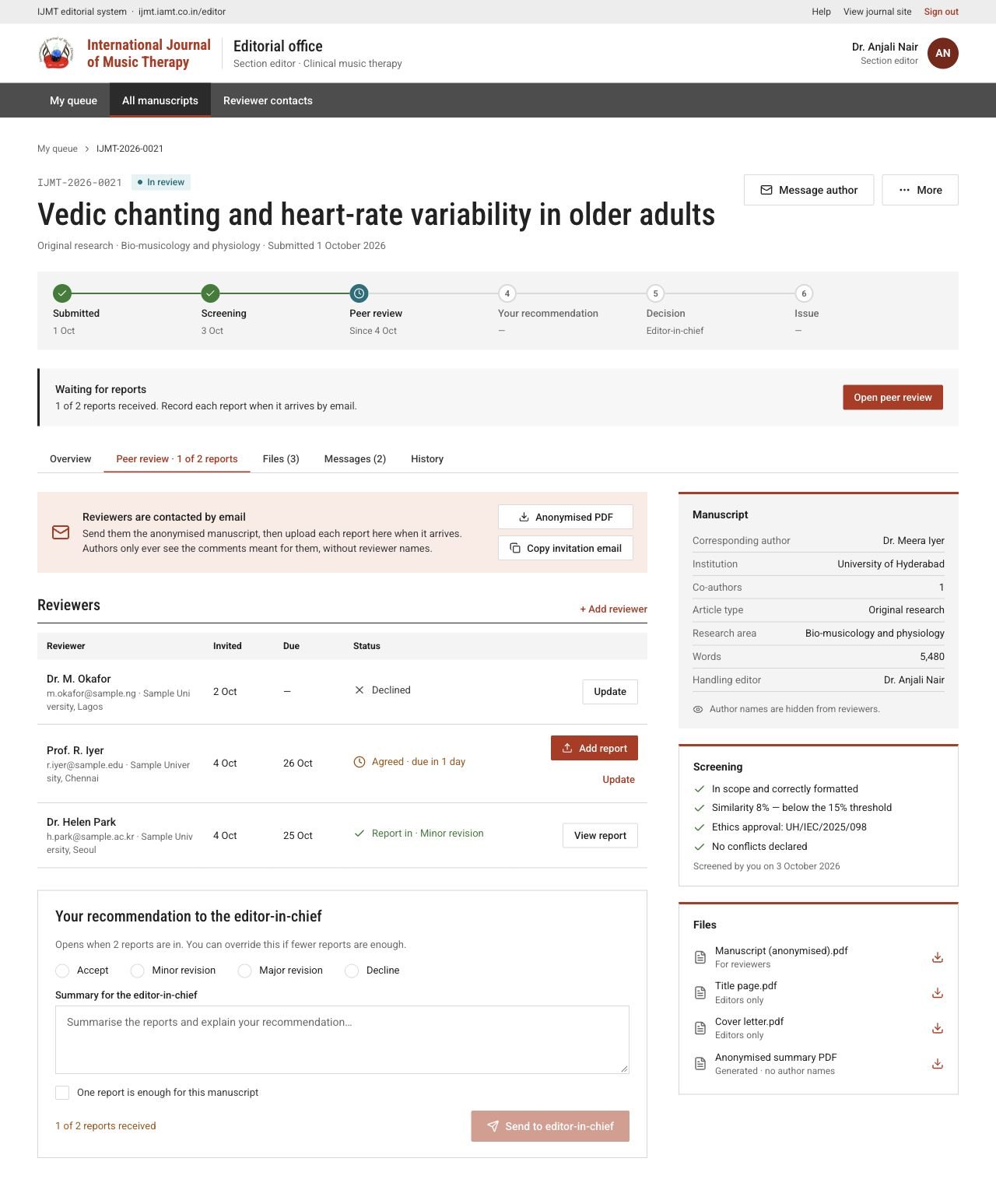
Open the paper’s Peer review tab.
- 1Download the Anonymised PDF: the paper in the journal’s layout with author details removed and every page marked DRAFT. Check it reveals no author identity.
- 2Use Copy invitation email as a starting point and email suitable reviewers with the scope, deadline and confidentiality expectations.
- 3Choose + Add reviewer and enter their name, email, affiliation and due date — or pick someone from Reviewer contacts.
- 4Use Update to record no reply, agreed, declined or a new due date. Add a replacement when someone declines.
ijmt.iamt.co.in/editor/manuscripts/…
 View full page
Record a report received by email
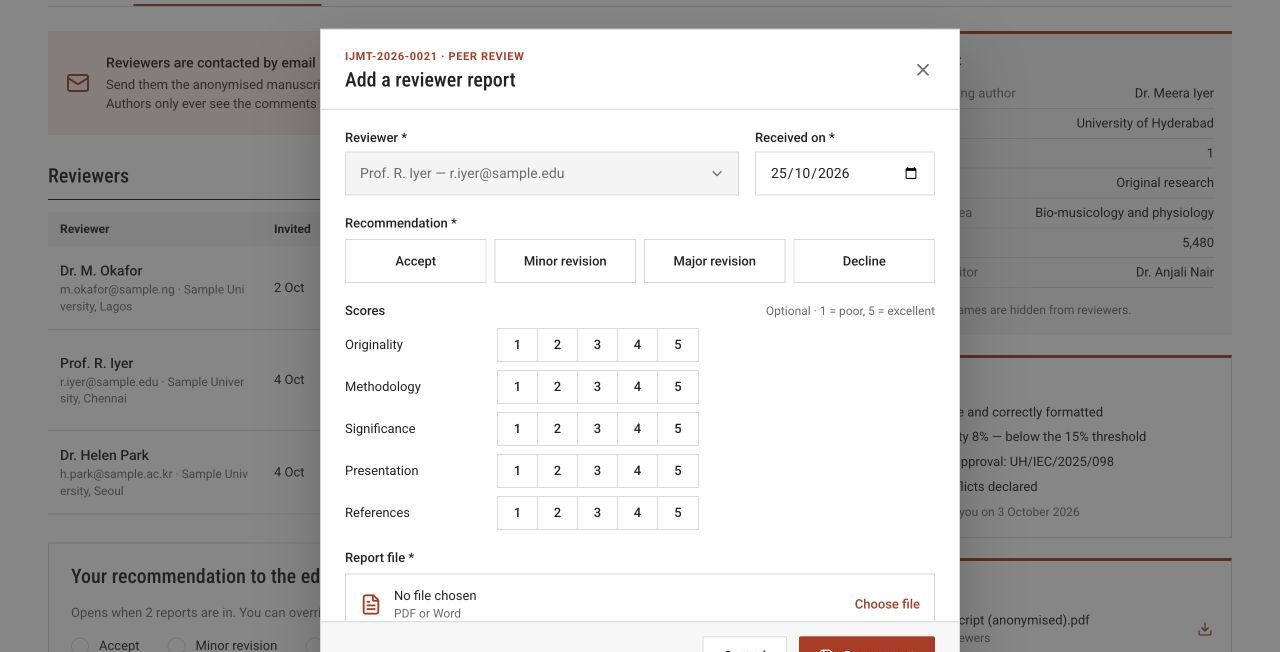
- 1Choose Add report on the right reviewer’s row.
- 2Enter the date received and the reviewer’s recommendation. Scores from 1 (poor) to 5 (excellent) are optional.
- 3Upload the report file and paste the Comments for the author.
- 4Put anything for editors only in Confidential comments.
- 5Attach an annotated manuscript if there is one. Share it with the author only after checking it contains no reviewer name.
- 6Choose Save report. The row now shows Report in; View report opens it.
ijmt.iamt.co.in/editor/manuscripts/…
 Enlarge
Send your recommendation
When enough reports are in (two by default), choose Accept, Minor revision, Major revision or Decline, write a summary that explains your reasoning, and choose Send to editor-in-chief.