

On this page
Before you start
Read the author guidelines and download the Word templates. Have these ready:
- Anonymised manuscript (.docx or .pdf) — remove names, affiliations, acknowledgements and the author name in the file’s properties.
- Separate title page with all author details. Editors see it; reviewers never do.
- Every author’s name, email, institution and country, in publication order, and who the corresponding author is.
- Abstract, keywords, ethics approval details, and statements on conflicts of interest, funding and data availability.
- Optional: cover letter, figures, supplementary files and suggested reviewers.
Start, save and come back later
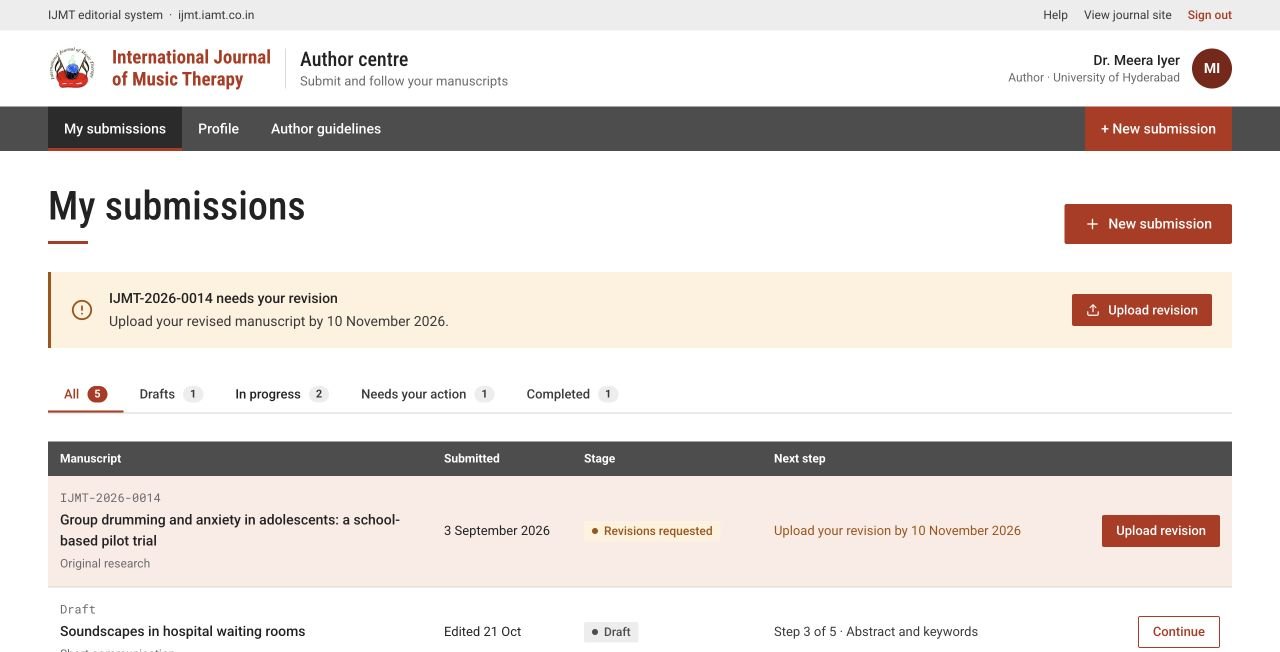
From My submissions choose + New submission. The form has five steps and saves as you go — watch for Draft saved. Choose Save and exit to leave, and Continue on the draft to pick up where you stopped.
 Enlarge
The five submission steps
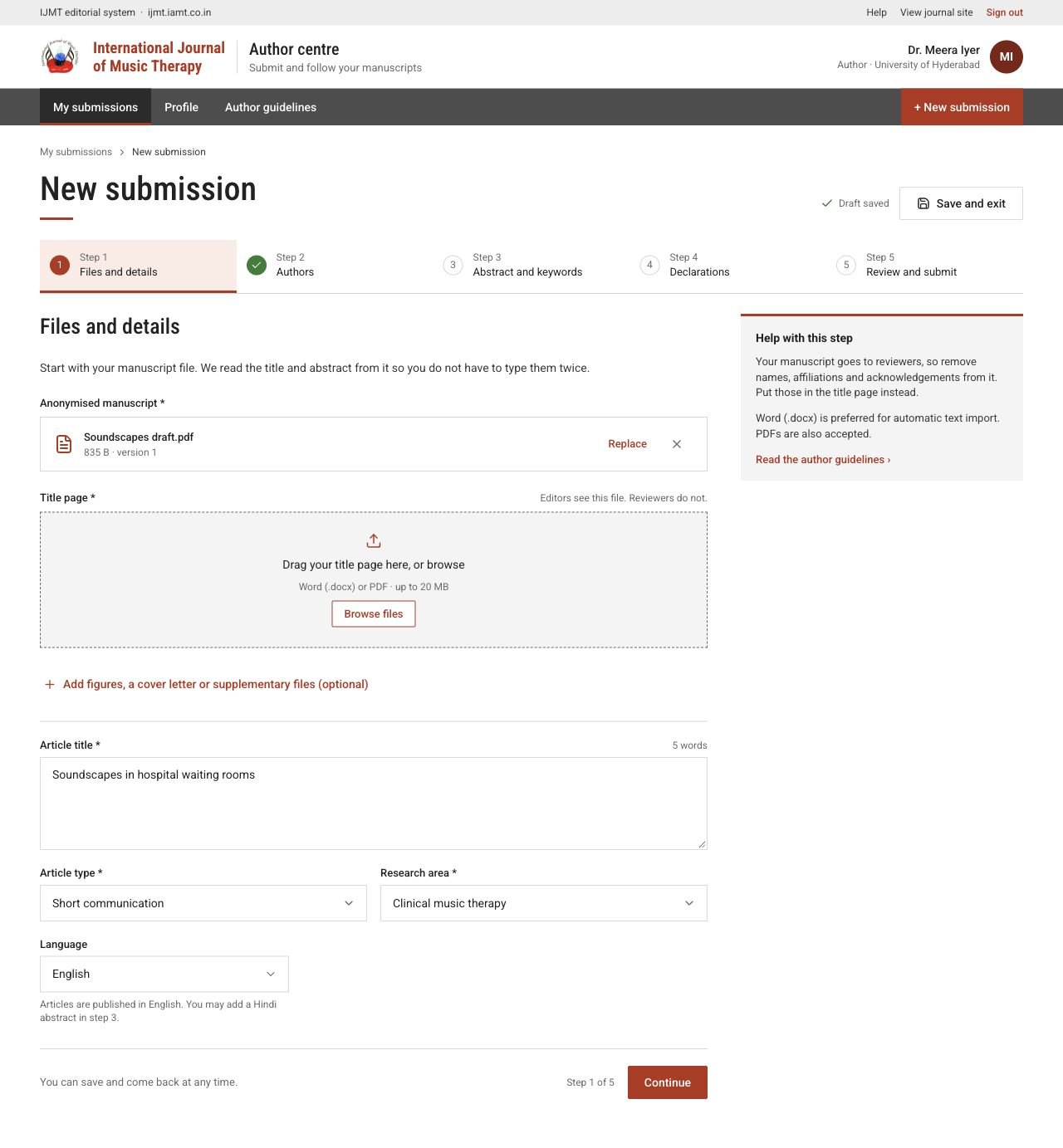
1 · Files and details
Upload the anonymised manuscript and the title page, then choose the article type and research area. A Word file can fill in the title, abstract, keywords and references for you — check every field it fills. PDFs are accepted, but you will type these details yourself.
 View full page
2 · Authors
Add every author in publication order with their full name, a different email for each, institution and country. Choose exactly one corresponding author. Use Move up / Move down or drag the handles to reorder.
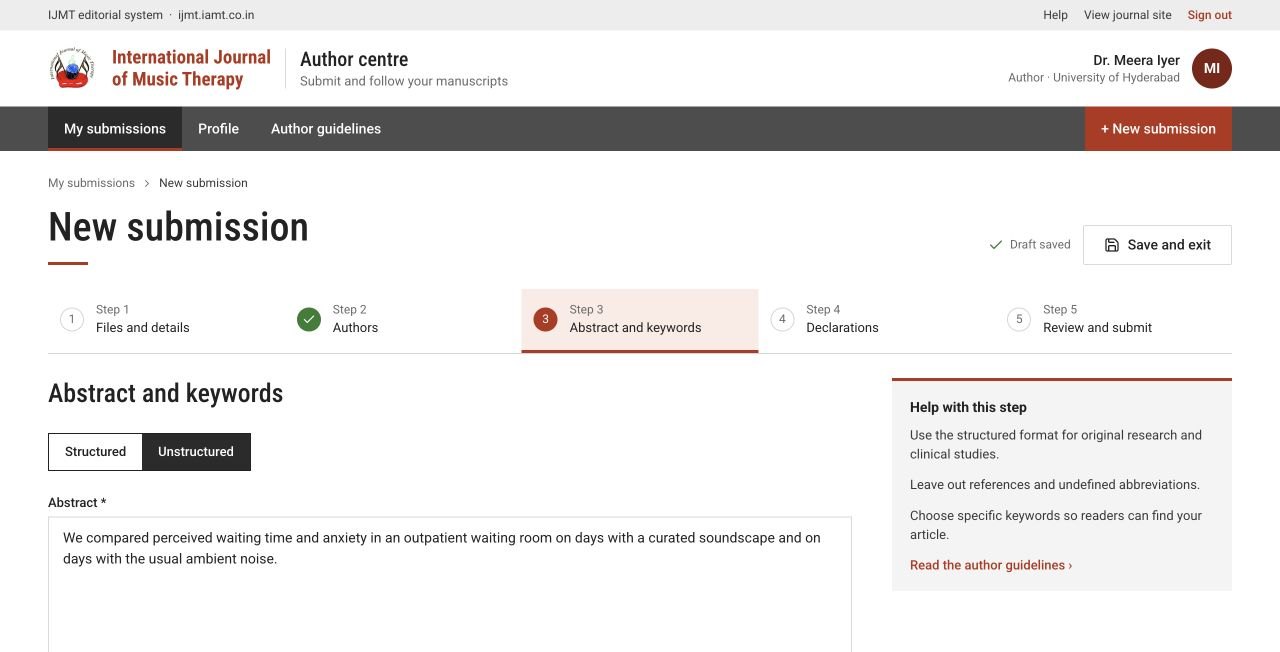
3 · Abstract and keywords
Write a structured abstract (Background, Objective, Methods, Results, Conclusion) or an unstructured one, within the word limit shown. Type each keyword and press Enter. You may also add a Hindi abstract.
 Enlarge
4 · Declarations
Give the ethics committee and approval reference, or explain why approval was not needed. Complete conflicts of interest, funding and data availability, and tick the authorship and originality statements only when they are true.
5 · Review and submit
Check everything once more. If something is missing, the portal tells you which step to fix. Submit once — you receive your manuscript ID on screen and by email.
Follow your paper
Open any paper from My submissions to see its stage, files, messages, history and any decision letters. After submission the original record is read-only.
- Choose Draft PDF (journal layout) to see your paper as it will look in the journal. Every page is marked DRAFT until the paper is published.
- Use Message the editorial office on the paper’s page for questions. Include enough detail for the office to help.
- If you need to withdraw, use Withdraw this submission and give a reason. If the button is not shown at your paper’s stage, message the office.
- You see reviewer comments only when they are released with a decision. Reviewer names and confidential notes to editors are never shown to authors.
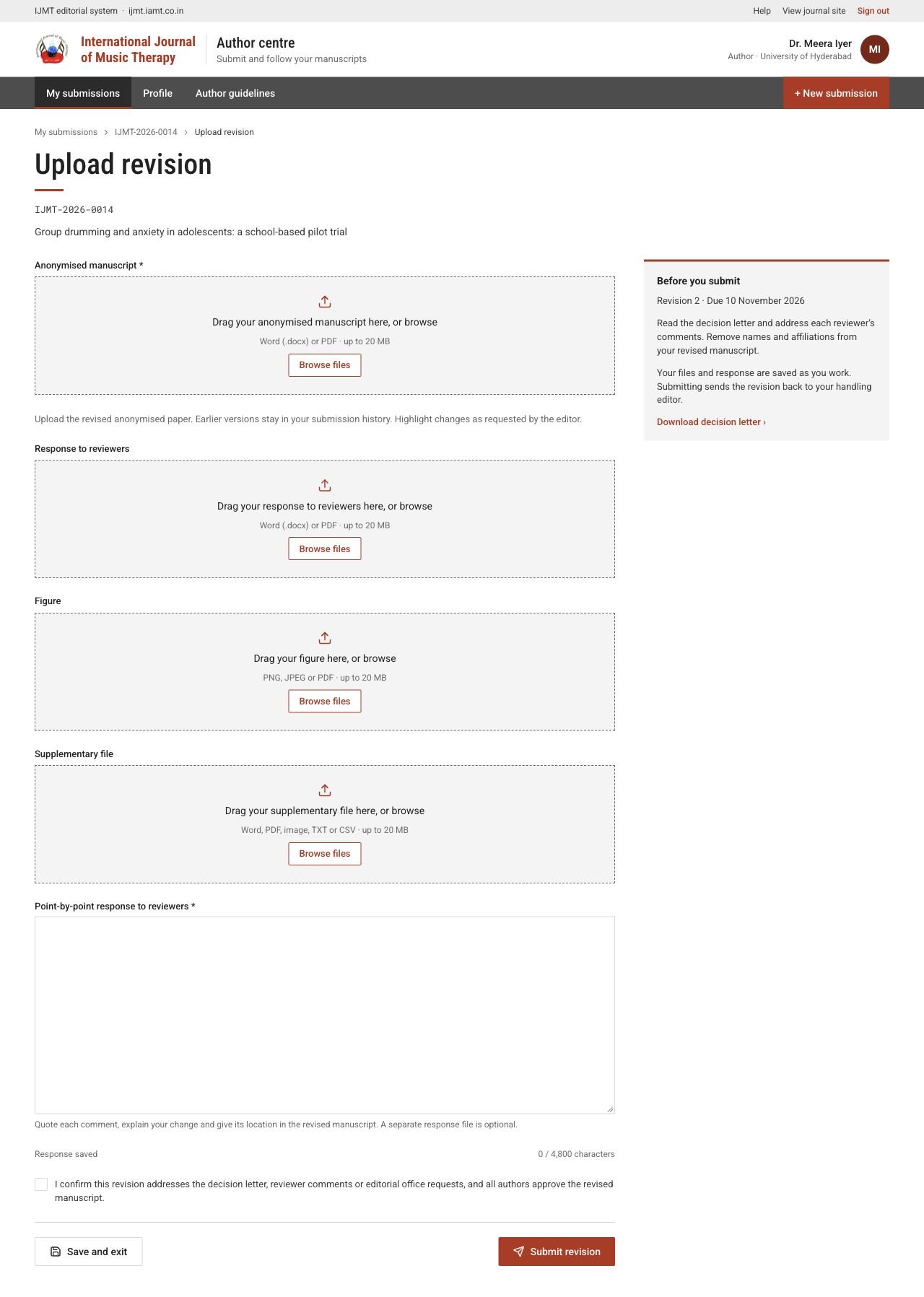
Upload a revision
When the editor-in-chief asks for revisions, a red banner and an Upload revision button appear.
- 1Open the paper and read the decision letter and the reviewer comments.
- 2Choose Upload revision and upload a new anonymised manuscript. Earlier versions stay in the paper’s history.
- 3Write a point-by-point response to each comment in the text box. A separate response file is optional.
- 4Add updated figures or supplementary files if needed.
- 5Tick the declaration and choose Submit revision before the due date.
 View full page