

On this page
People and invitations
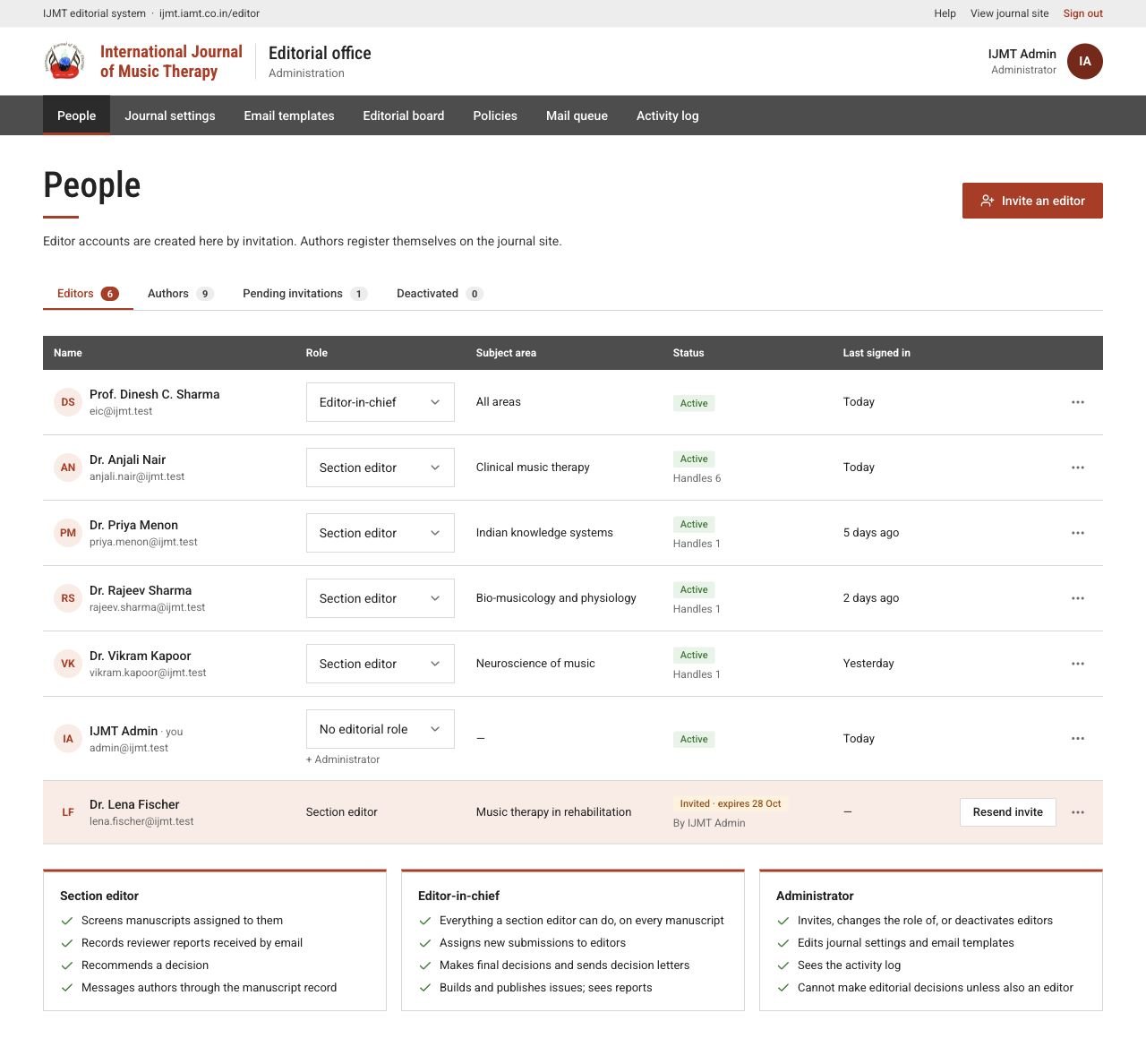
People lists editors, authors, pending invitations and deactivated accounts. Use the filters to find someone.
| Task | How |
|---|---|
| Invite an editor | Choose Invite an editor, enter their name, email, role, subject area and an optional message. They activate the account themselves. |
| Resend or cancel | Use Resend invite, or Revoke invitation from the row’s menu. |
| Change a role | Choose editor or editor-in-chief for the person. A place on the public editorial board does not give portal access. |
| Remove access | Reassign their open papers first, then choose Deactivate account from the row’s menu. Reactivate account restores access. |
 View full page
Journal settings
Open Journal settings, change a section and choose Save settings.
| Section | What it controls |
|---|---|
| Journal details | Name, abbreviation, ISSN, publisher, licence, website and the editor-in-chief’s display name. |
| Submission rules | Whether new submissions are open, call for papers and deadline, abstract, keyword and file limits, and reference style. |
| Review targets | Target days for each stage, reports needed before a recommendation, similarity threshold and revision period. |
| Contact details | Office email, WhatsApp number and postal address shown on the site. |
Email templates and editorial board
In Email templates, choose a template, edit the subject and body using the placeholders offered, check the preview and save. Keep the placeholders and links the template needs.
In Editorial board, keep the public list of board members, their order and photos up to date, then check the editorial board page.
Policies
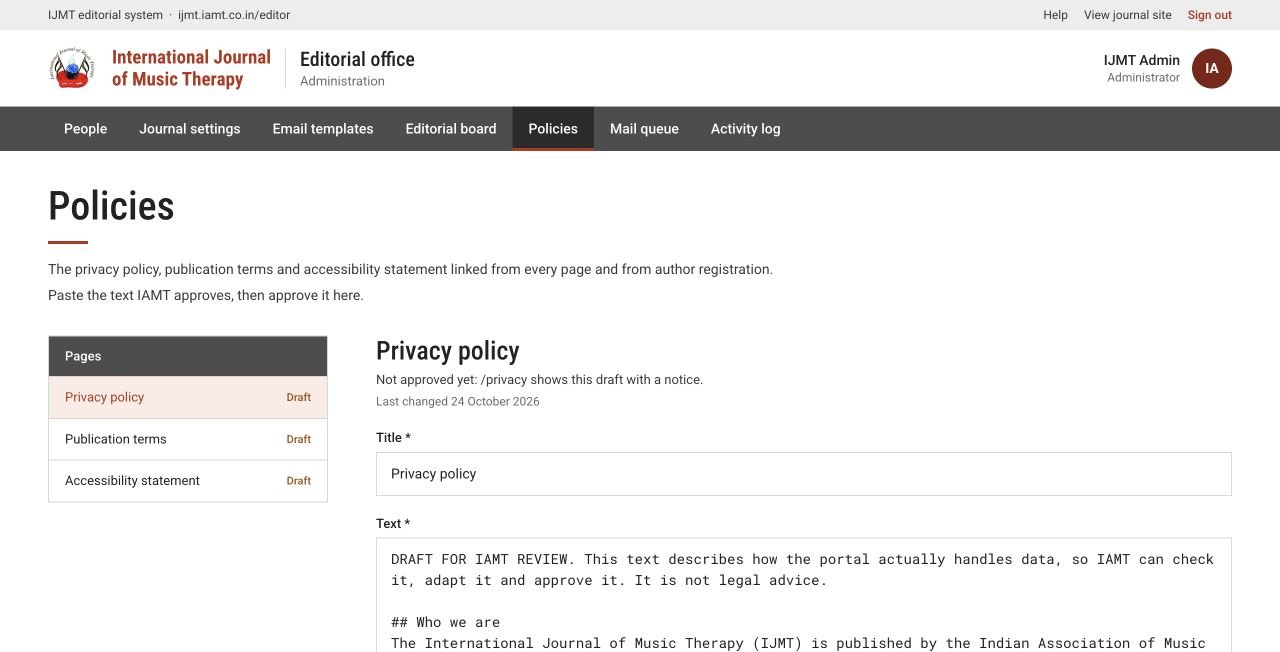
The Privacy policy, Publication terms and Accessibility statement are edited in Policies. Paste the wording IAMT has approved, save, preview, then choose Approve and publish….
- Start a line with
##for a heading and-for a list item. Leave a blank line between paragraphs. - Approval is blocked while draft markers such as “DRAFT FOR IAMT REVIEW” remain in the text.
- Each approval is saved as a dated version, and new authors are recorded against the version they agreed to.
 Enlarge
Mail queue and activity log
Mail queue shows workflow emails (decisions, reviewer links, issue alerts) as Waiting, Gave up or Sent. For a failed email, read the error, fix the cause, then choose Retry. Delivery is retried automatically up to eight times.
Activity log shows who changed what and when. Note the manuscript ID and time when you report a problem.